What's In This Review
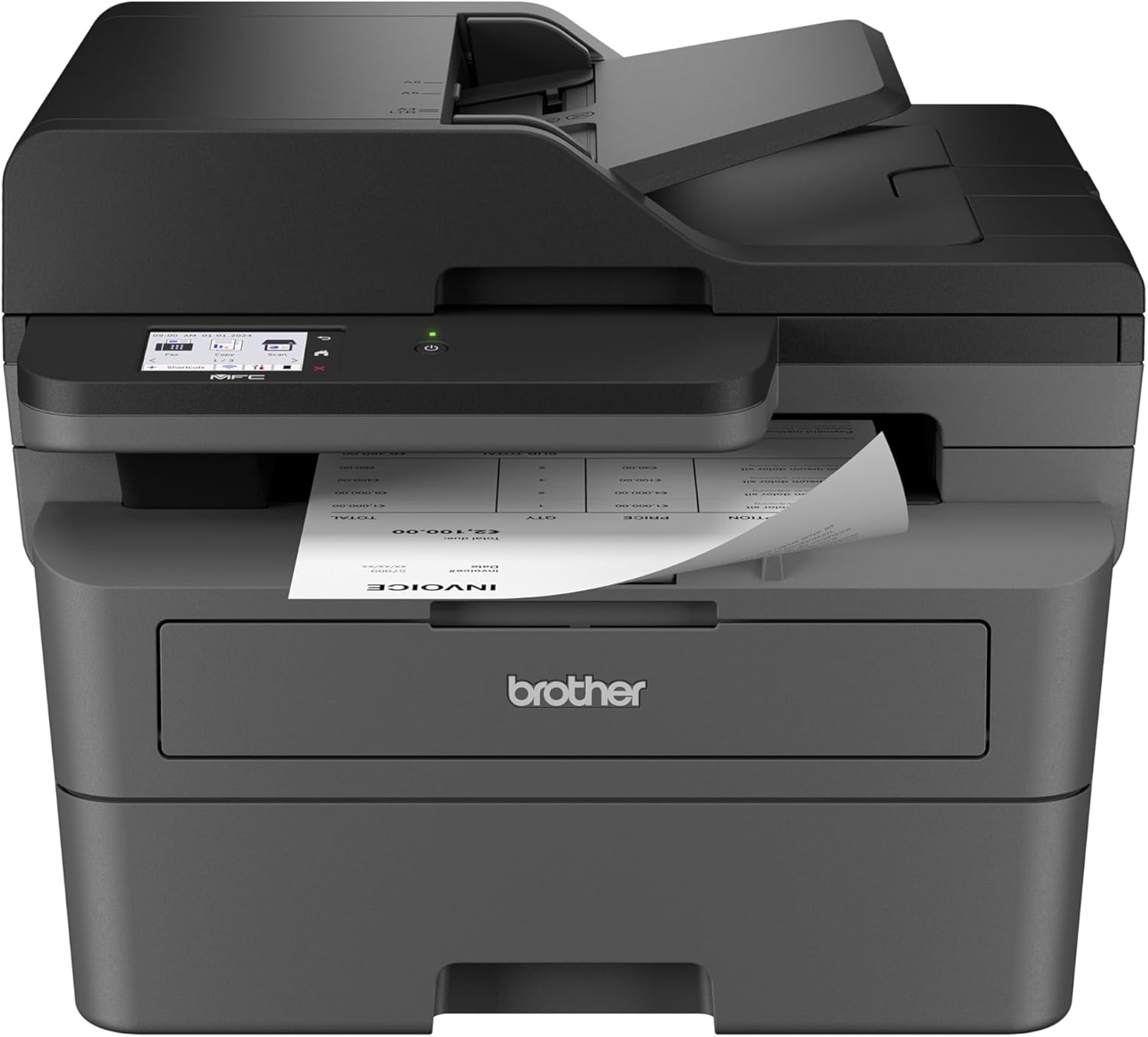
01. Quick Overview — Brother MFC-L2820DW at a Glance
| Key Aspect | Details |
|---|---|
| Brand / Model | Brother / MFC-L2820DW (Standard) & MFC-L2820DW XL (High-Toner) |
| Printer Type | Monochrome (Black & White) All-in-One Laser Printer |
| Functions | Print · Copy · Scan · Fax |
| Print Speed | Up to 34 ppm (pages per minute) — black & white |
| Print Resolution | Up to 1200 x 1200 dpi — sharp, crisp text documents |
| Scan Resolution | Up to 1200 x 1200 dpi optical — color scanning capable |
| Scan Speed | 23.6 ipm (mono) / 7.9 ipm (color) at 300 dpi |
| Paper Tray | 250-Sheet Main Paper Tray + 1-Sheet Manual Feed Slot |
| ADF | 50-Sheet Automatic Document Feeder — for multi-page copy/scan/fax |
| Duplex Printing | Yes — Automatic Two-Sided Printing (saves paper by default) |
| Touchscreen | 2.7-inch Color Touchscreen Display — menu navigation & cloud access |
| Connectivity | Dual-Band Wi-Fi (2.4GHz/5GHz) · USB 2.0 · Ethernet (RJ-45) |
| Mobile Printing | AirPrint · Mopria · Wi-Fi Direct · Brother Mobile Connect App |
| Cloud Printing | Google Drive™ · Dropbox · Evernote · OneNote · and more |
| OS Compatibility | Windows 10/11 · macOS · Linux · Chrome OS · iOS · Android |
| Toner Cartridge | Brother TN830 (Standard ~1,200 pg) / TN830XL (High Yield ~3,000 pg) |
| Drum Unit | DR830 — rated for approximately 15,000 pages before replacement |
| Included Toner | Standard Model: ~700 pg starter cartridge · XL Model: ~4,200 pages total |
| Max Print Size | 8.5 x 14 inches (Legal size) |
| Dimensions | 16.1 x 15.7 x 12.5 inches |
| Weight | 22.7 pounds |
| Energy Rating | ENERGY STAR® Certified · EPEAT® Silver · Toner Save Mode |
| Fax | Yes — Built-in fax with telephone line cord included |
| Warranty | 1-Year Limited Warranty + Free lifetime support (online/call/chat) |
| Subscription | Refresh EZ Print Subscription — automatic toner delivery, up to 50% savings |
| Price (Standard) | ~$249–$280 (Amazon, Best Buy, Walmart, Staples) |
| Price (XL) | ~$299–$320 (Amazon, B&H, Best Buy, Office Depot) |
02. Full Specifications Table
| Specification | Details |
|---|---|
| Brand | Brother International Corporation (USA) |
| Model Number | MFC-L2820DW (Standard) | MFC-L2820DW XL (High-Yield Toner) |
| Printer Category | Compact Monochrome All-in-One Laser Printer |
| Print Technology | Electrophotographic Laser — fuses toner to paper with heat for sharp, permanent output |
| Print Speed | Up to 34 ppm (black & white, letter-size, one-sided) |
| First Page Out | Approximately 8.5 seconds from sleep / ready mode |
| Print Resolution | Up to 1,200 x 1,200 dpi (HQ1200 mode) |
| Duplex Printing | Automatic Two-Sided (Duplex) — no manual page flipping required |
| Max Print Size | 8.5 x 14 inches (Legal) |
| Paper Tray Capacity | 250 sheets (main tray, 20-lb paper) |
| Manual Feed Slot | 1 sheet — for letterhead, envelopes, special paper |
| Copy Speed | Up to 34 cpm (copies per minute) |
| Copy Resolution | Up to 1,200 x 600 dpi |
| Max Copy Size | Letter / Legal |
| Scan Type | Flatbed CIS + 50-sheet Automatic Document Feeder |
| Optical Scan Resolution | 1,200 x 1,200 dpi (flatbed) | Up to 1,200 x 600 dpi (ADF) |
| Scan Speed | 23.6 ipm monochrome | 7.9 ipm color (300 dpi, ADF) |
| Color Scan Depth | 24-bit color (full color scanning despite B&W printing) |
| Scan Destination | Email · Google Drive · Dropbox · Evernote · OneNote · USB · Network folders |
| ADF Capacity | 50 sheets — multi-page scanning, copying, and faxing |
| ADF Duplex Scan | No — single-sided ADF scanning only |
| Fax | Yes — Built-in fax modem, telephone line cord included in box |
| Fax Speed | Super G3 — up to 33.6 Kbps |
| Fax Memory | Up to 400 pages in memory |
| Display | 2.7-inch Color Touchscreen LCD |
| Connectivity — Wireless | Dual-Band 802.11a/b/g/n — 2.4 GHz and 5 GHz Wi-Fi |
| Connectivity — Wired | USB 2.0 Hi-Speed · Ethernet 10/100 Base-TX (RJ-45) |
| Mobile/AirPrint | Apple AirPrint · Mopria Print Service · Wi-Fi Direct · Brother Mobile Connect App |
| Cloud Services | Google Drive™ · Dropbox · Evernote · OneNote · Box |
| Operating Systems | Windows 10 / 11 · macOS 11+ · Linux · Chrome OS · iOS · Android |
| Toner Model (Standard) | Brother TN830 — ~1,200 page yield (ISO/IEC 19752) |
| Toner Model (High Yield) | Brother TN830XL — ~3,000 page yield (ISO/IEC 19752) |
| Toner Model (Value) | Brother TN830V (Value High Yield) — ~3,000 pages |
| Drum Unit | Brother DR830 — ~15,000 page life |
| Included Toner (Standard) | Starter cartridge (~700 pages) |
| Included Toner (XL) | Two high-yield cartridges (~4,200 pages total — 6x more than standard) |
| Toner Save Mode | Yes — reduces toner use for draft printing |
| Energy Certification | ENERGY STAR® Certified · EPEAT® Silver Rated |
| Power Consumption (Ready) | ~5.5 Watts (ready mode) |
| Power Consumption (Sleep) | ~0.9 Watts |
| Dimensions (W x D x H) | 16.1 x 12.5 x 15.6 inches |
| Weight | 22.7 pounds |
| Noise Level (Printing) | ~52 dB — typical for laser operation |
| Paper Types Supported | Plain · Recycled · Bond · Thin · Thick · Glossy · Envelopes · Labels |
| Paper Weight Range | 16–43 lb bond (60–163 g/m²) |
| Warranty | 1-Year Limited Warranty + Free online, call & live-chat support for life of printer |
| EZ Print Subscription | Yes — Refresh EZ Print delivers toner automatically, saves up to 50% on cartridges |
03. Print Quality & Speed — Real-World Performance
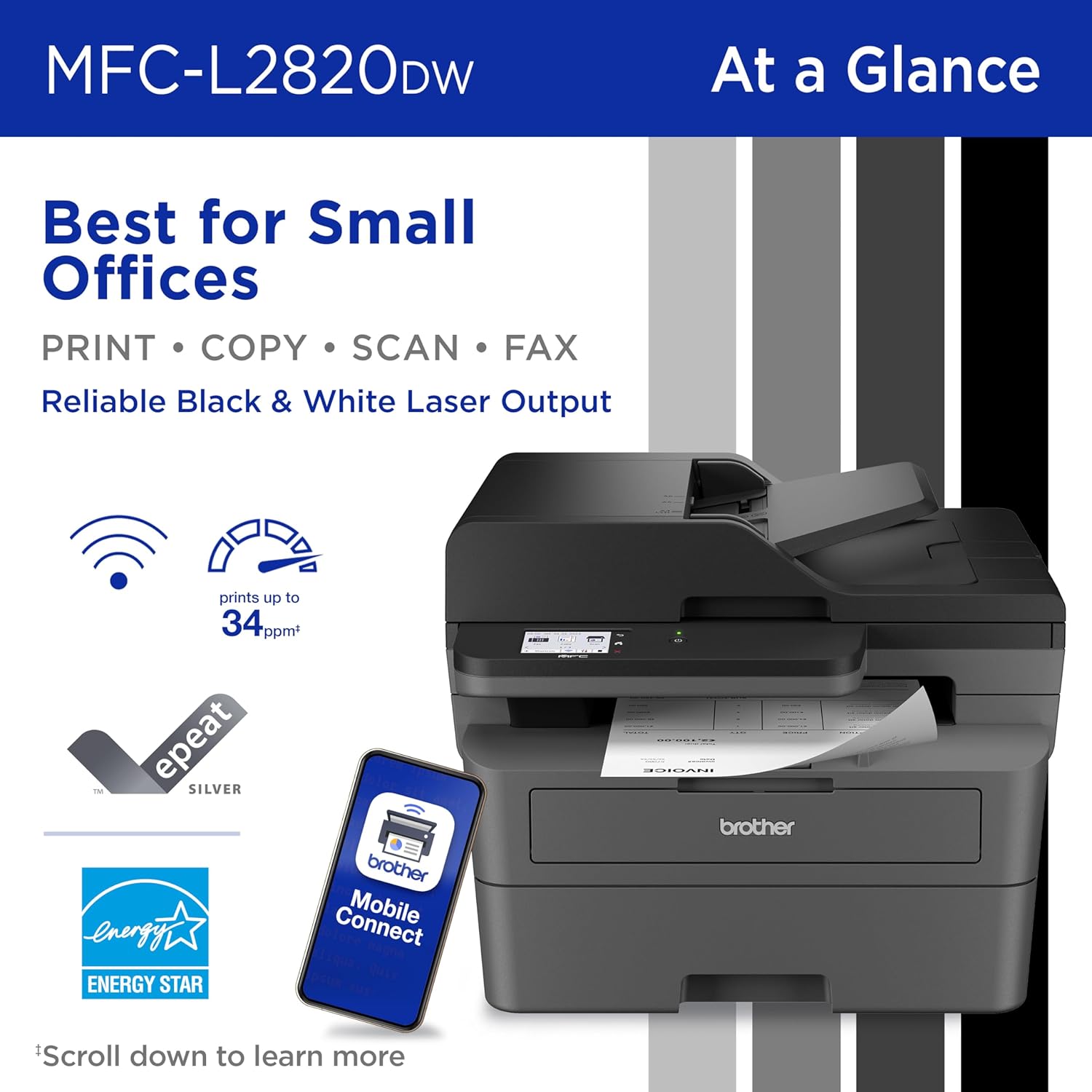
The Brother MFC-L2820DW's printing performance is its strongest selling point, and it's the area where this printer genuinely separates itself from inkjet alternatives at a similar price. At up to 34 pages per minute, it is one of the fastest printers in the sub-$320 category — and more importantly, it actually delivers on that specification in real-world testing, not just in ideal lab conditions.
Print quality for text documents is consistently excellent. Characters are sharp and dense, with clean edges even at small font sizes. Business letters, invoices, reports, legal documents, and contracts all come out looking professional and permanent — unlike inkjet prints that can smear when wet or fade over time. The 1,200 x 1,200 dpi maximum resolution is more than sufficient for any standard document printing task you'll encounter in a home or small business environment.
Graphics printing — charts, bar graphs, tables — is handled reliably for grayscale output. You'll see some minor banding in solid gray fills at lower settings, but standard business graphics at default settings print cleanly enough for internal use and client presentations. The printer is not designed for photographs, and the results show it: photo printing in monochrome produces flat, low-contrast output that is fine for reference thumbnails but not suitable for any purpose where image fidelity matters. This is expected and completely appropriate for a dedicated document laser printer.
The first-page-out time of approximately 8.5 seconds from a warm ready state is fast enough that you're never waiting at the printer after sending a job. Cold start time from deep sleep is longer — around 25–30 seconds — but this happens rarely in a typical office environment where the printer stays in light sleep between uses. Duplex (two-sided) printing reduces speed modestly to around 16–17 ppm effective throughput, which is still impressively quick for automatic double-sided output.
Print Speed Breakdown
In real-world large print jobs, users consistently report the MFC-L2820DW delivering close to its rated speed. Jobs of 50, 67, and 30 pages sent in real testing completed quickly and accurately without jams or misprints when using quality 20-lb paper. The 250-sheet paper tray is generously sized — most households and small offices can load a full ream and go weeks without refilling. The single-sheet manual feed slot lets you feed envelopes, letterhead, or heavy card stock without disrupting the main tray load.
04. Connectivity — Wi-Fi, Cloud, Mobile & AirPrint
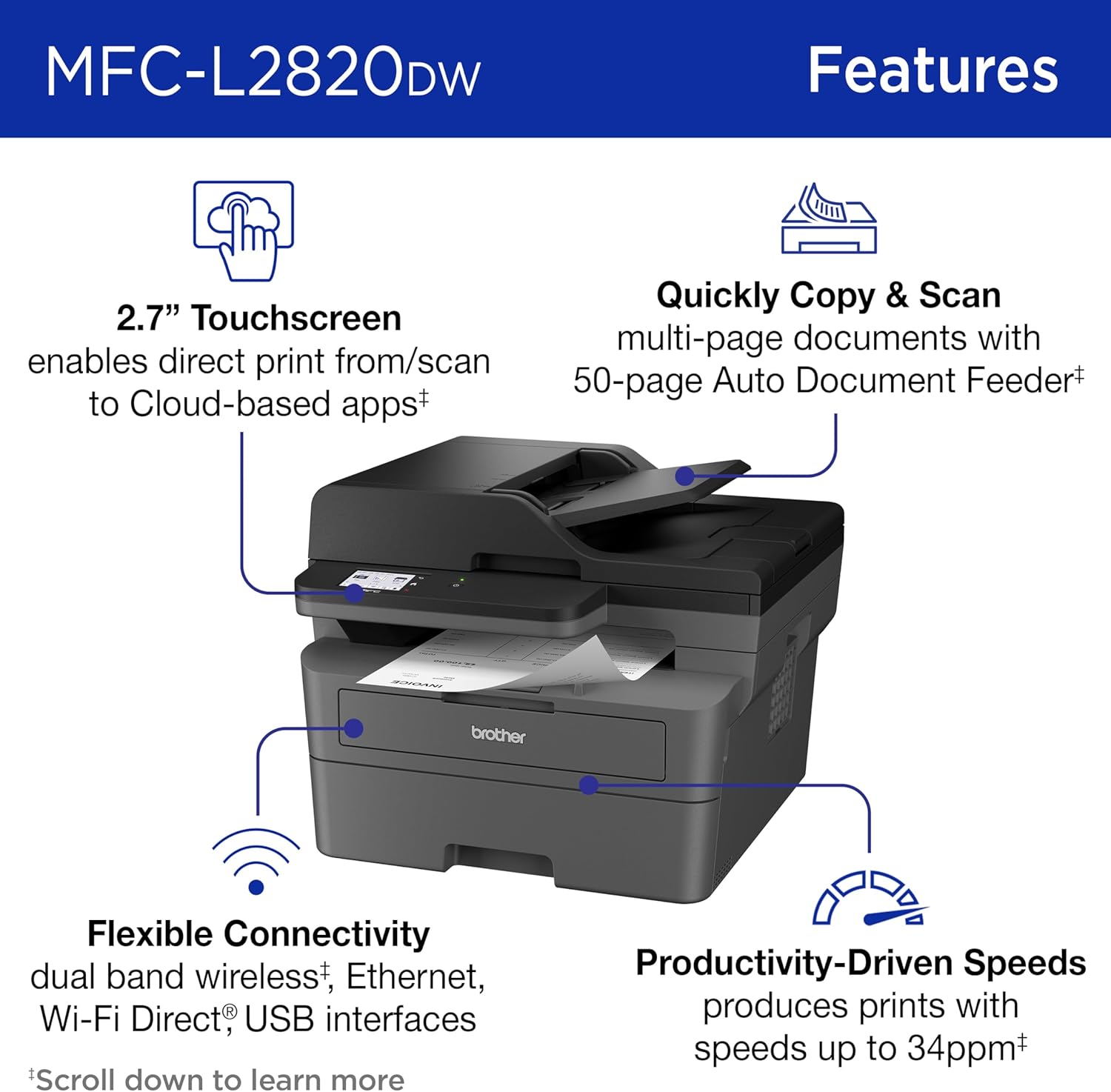
Connectivity is one of the most important factors in choosing a home office or small business printer in 2026, and the Brother MFC-L2820DW covers every relevant connection method comprehensively. Whether you're printing from a desktop PC, a MacBook, an iPhone, an Android phone, or a Chromebook, this printer supports it natively without fuss or workarounds.
The dual-band 802.11a/b/g/n wireless networking is a standout feature at this price point. The inclusion of 5 GHz Wi-Fi support means the printer can connect to less congested Wi-Fi bands — which matters in apartment buildings, dense office environments, or homes with many connected devices on the 2.4 GHz band. Setup is straightforward: use the 2.7-inch color touchscreen to connect to your home or office Wi-Fi network, and the printer becomes discoverable by every device on that network immediately.
Once connected wirelessly, the MFC-L2820DW is accessible via Apple AirPrint for iPhone and iPad users (no app required), Mopria for Android devices, Wi-Fi Direct for direct device-to-printer connections without a router, and the Brother Mobile Connect app for the most complete mobile experience. The Mobile Connect app — available for both iOS and Android — adds extra functionality including scanning to your phone, monitoring toner levels remotely, ordering new supplies, and managing printer settings on the go.
The cloud connectivity is a genuine productivity feature, not a marketing checkbox. The 2.7-inch touchscreen allows you to print files directly from Google Drive, Dropbox, Evernote, OneNote, and other cloud services without needing a computer. Similarly, you can scan documents from the printer and push them directly to any of these cloud destinations — useful for digitizing paper documents, scanning contracts, or archiving receipts directly into your preferred cloud storage service.
For those who prefer or require wired connections, both USB 2.0 and Ethernet (10/100 Base-TX) are available. The Ethernet port makes the MFC-L2820DW deployable as a shared network printer in a small office with multiple PCs, without relying on Wi-Fi reliability. This is a key advantage over lower-end wireless-only models.
05. Toner Cartridges & Running Costs — The Full Picture
Understanding toner costs is critical when evaluating any laser printer, and the Brother MFC-L2820DW has one of the more favorable long-term cost structures in its class — particularly if you opt for the XL model or buy high-yield TN830XL cartridges. The total cost of ownership over three to five years is significantly lower than it might appear from the upfront sticker price alone.
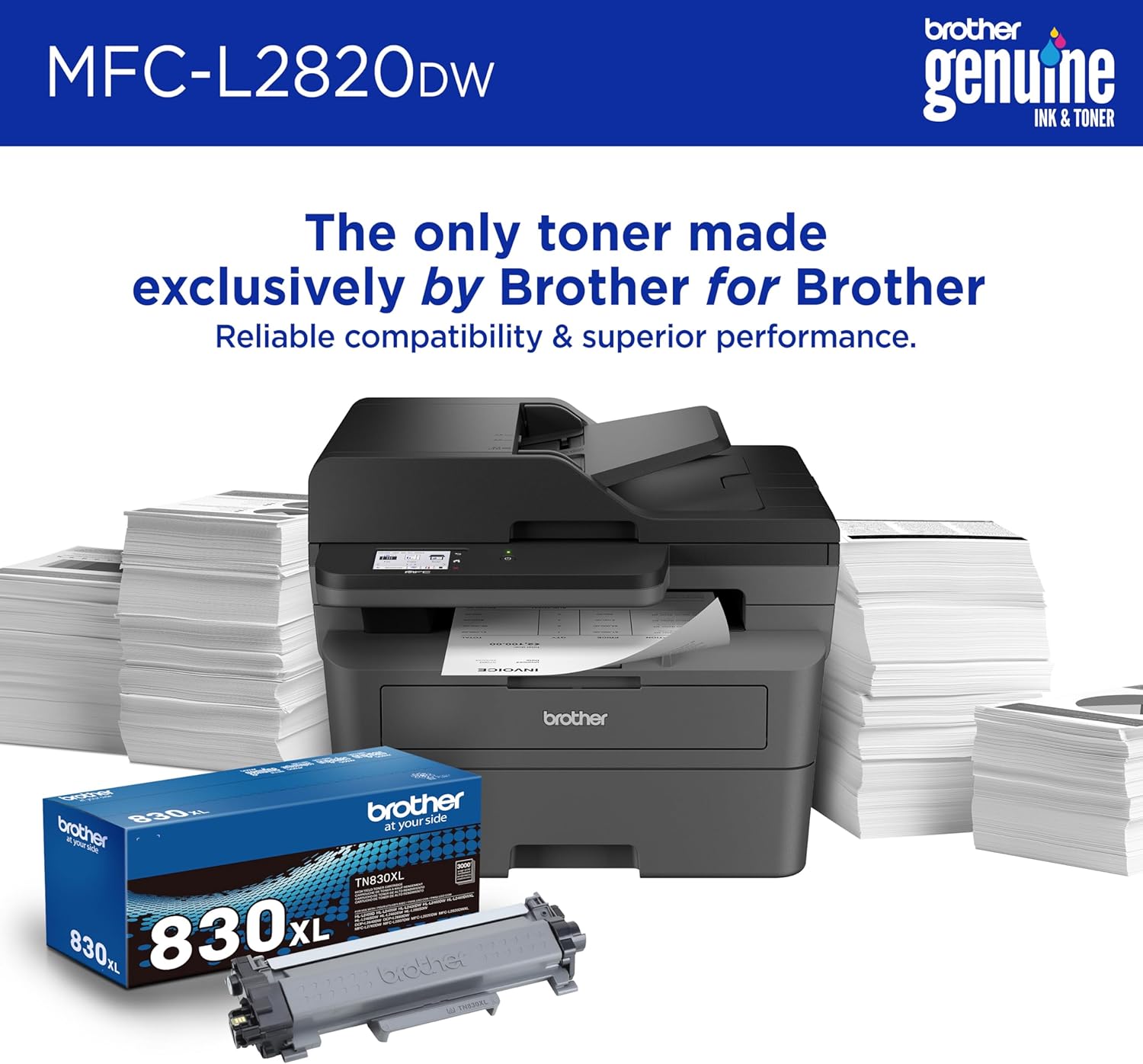
The Brother TN830 toner family has three main options: the standard TN830 at approximately 1,200-page yield, the high-yield TN830XL at approximately 3,000 pages, and the TN830V Value High Yield also at approximately 3,000 pages. The standard TN830 typically retails around $50–$61, while the TN830XL is priced around $60–$90 depending on the retailer and whether it's a Brother Genuine or compatible cartridge. At those yields, the cost per page works out to roughly 2–4 cents per page for toner alone — competitive with most monochrome laser alternatives in this price range.
The drum unit (DR830) is separate from the toner cartridge and is rated for approximately 15,000 pages before replacement. At current prices of around $130 for a genuine Brother drum unit, that adds about 0.9 cents per page over its lifetime. Combined with toner costs, your total consumable cost per printed page is approximately 3–5 cents — which is among the most economical options for black-and-white document printing outside of enterprise-grade machines.
Consumer Reports testing found approximately 1,094 pages from the included TN830 starter cartridge under typical real-world conditions — slightly less than the 1,200-page ISO rating, which is normal. Estimated total cost after two years of typical use (around 26 pages per month) is approximately $315 when accounting for the purchase price and consumables — reasonable for a full-featured all-in-one laser. Annual operating cost at typical use levels is estimated at around $17/year — one of the lowest in its class.
Brother's Refresh EZ Print Subscription service is worth considering for regular users. It monitors toner levels automatically and ships replacement cartridges before you run out, at savings of up to 50% on Brother Genuine toner compared to retail prices. The service has received mixed user feedback — the printing hardware itself is praised universally, but some users report frustration with aggressive subscription marketing emails. The subscription itself is entirely optional and easy to skip if you prefer to buy toner independently.
06. Duplex Printing, ADF & Scanning — Depth Review
The automatic duplex printing capability of the MFC-L2820DW is a significant differentiator from lower-priced models that require manual page-flipping for two-sided printing. Automatic duplex works seamlessly — you select "two-sided" in the print dialog, and the printer handles the rest. For any environment where paper conservation matters, or where double-sided documents are a regular output format (contracts, reports, booklets), this is an essential feature that saves both paper costs and time.
The 50-sheet Automatic Document Feeder (ADF) is what makes this printer a genuine productivity tool rather than just a fast printer. You can load up to 50 sheets of paper into the ADF and walk away while the printer scans, copies, or faxes each page automatically in sequence. This is indispensable for tasks like digitizing a stack of incoming mail, making multiple copies of a multi-page document, or sending a multi-page fax. Without an ADF, each of these tasks requires manually placing pages one at a time — a significant time drain in a busy office.
Scanning quality is very good for general-purpose business scanning. The 1,200 x 1,200 dpi optical resolution on the flatbed captures document text and graphics with enough clarity for archival purposes, OCR (optical character recognition), and document management systems. The ADF scanning is rated at 1,200 x 600 dpi — slightly lower than flatbed but more than adequate for every normal scanning task. Despite being a monochrome printer, the scanner is fully capable of 24-bit color scanning, so color documents scan in full color, not just grayscale — an important distinction for document workflows.
One limitation worth noting clearly: the ADF does not support duplex (two-sided) scanning. When scanning two-sided documents through the ADF, you need to run the stack twice — once for the front and once for the back. For most home office users this is a minor inconvenience. For high-volume business document scanning where double-sided scanning is routine, this limitation may be frustrating, and a higher-end model with duplex scanning ADF (like the Brother MFC-L2860DWE) would be worth considering.
07. Setup, Software & Touchscreen Experience
Setup is one of the MFC-L2820DW's genuine highlights. The printer includes a Quick Start Guide that walks through the physical setup in under 10 minutes. Connecting to Wi-Fi is handled entirely through the 2.7-inch color touchscreen — you select your network, enter the password, and the printer is visible to every device on that network immediately. There are no complex configuration menus to navigate, no CD-ROM driver installation required for modern operating systems (Windows 10/11 and macOS detect the printer automatically), and no registration requirements before first use.
The 2.7-inch color touchscreen is functional and clear. Text is legible and menu navigation is logical. The main criticism from real-world users is its physical size — at 2.7 inches, it's on the smaller end of what's comfortable for touch navigation, particularly for users with larger fingers or visual impairments. If most of your printer interaction will happen from your computer or phone (which is true for most users), the touchscreen size matters very little day-to-day. Where it matters is when you want to copy something quickly without turning on a computer, or when scanning to cloud services directly from the printer.
The Brother Mobile Connect app is well-implemented and covers the essential tasks: printing from your phone's photo library and documents, scanning to email or cloud services, checking ink/toner levels, ordering supplies, and managing basic printer settings. It works consistently across both iOS and Android. The desktop printer utility for Windows and Mac similarly provides toner level monitoring, settings management, and access to Brother's support resources.
One point of user feedback worth noting: Brother sends promotional emails and in-app notifications encouraging enrollment in the Refresh EZ Print toner subscription service. While the subscription itself offers genuine value (up to 50% savings on toner), some users find the frequency of these reminders excessive. If subscription promotions bother you, you can unsubscribe from marketing emails without affecting the printer's functionality in any way. The printer works perfectly without any subscription enrollment.
08. All Key Features — In-Depth Breakdown
Watch the complete hands-on review, printing speed test, wireless setup, duplex printing demonstration, toner cost analysis, and real-world performance of the Brother MFC-L2820DW laser printer.
09. Brother MFC-L2820DW vs Competitors — Comparison Table
The $250–$320 all-in-one monochrome laser printer segment is competitive but relatively concentrated — a few models dominate, and the choice often comes down to specific priorities around speed, toner economy, features, or brand ecosystem. The Brother MFC-L2820DW competes primarily against the Canon imageCLASS MF269dw, the HP LaserJet Pro MFP 4101fdw, and Brother's own HL-L2460DW (print-only). Here's how the key specs compare in the current US market.
10. Pros & Cons
- ⚡ 34 pages per minute — genuinely fast for the price; consistently matches rated speed in real-world use
- 📦 XL variant ships with ~4,200 pages of toner — exceptional in-box value that reduces immediate consumable cost
- 🔄 Automatic duplex printing saves paper and time on double-sided documents with zero manual effort
- 📑 50-sheet ADF handles multi-page scan/copy/fax jobs hands-free — critical for small offices
- 📶 Dual-band Wi-Fi (2.4 + 5 GHz) plus Ethernet gives maximum connectivity flexibility
- ☁️ Built-in cloud printing and scanning to Google Drive, Dropbox, OneNote, and more from touchscreen
- 🍎 Native AirPrint support — iPhone/iPad printing works without any app or driver installation
- 🖥️ Works with Windows, macOS, Linux, Chrome OS, iOS, Android — zero ecosystem lock-in
- 🖨️ Excellent black-and-white text quality — sharp, permanent, professional output for all document types
- 🌿 ENERGY STAR and EPEAT Silver certified — low power consumption at rest and in sleep mode
- 🛡️ Free lifetime technical support (online, call, live chat) — exceptional post-purchase policy
- 💰 ~$17/year in operating costs at typical use — very low total cost of ownership over 3–5 years
- 🎨 No color printing — monochrome only. If you need color output for any purpose, this is not the right printer
- 💵 Upfront cost (~$280–$320) is higher than basic inkjet all-in-ones — though lifecycle cost is lower
- 📷 Poor photo printing quality — grayscale photos are flat and low-contrast; this printer is not for photos
- 📺 2.7-inch touchscreen is functional but slightly small — can feel cramped for frequent direct-printer interaction
- 🔄 ADF does not support duplex (two-sided) scanning — must run pages twice for two-sided documents
- 🥁 Drum unit (DR830) is a separate consumable at ~$130 — adds to lifetime cost beyond toner alone
- 📧 Aggressive subscription marketing emails from Brother after purchase — opt-out is available but requires action
- ⚖️ 22.7 pounds is relatively heavy — not something you'll move around frequently once placed
11. Category Ratings
12. Who Should Buy the Brother MFC-L2820DW?
| Your Situation | Recommendation | Why |
|---|---|---|
| Home Office — Work from Home Professional | ✅ Strong Yes (Buy XL) | Fast 34ppm, cloud printing, Wi-Fi, AirPrint — covers all daily document needs. XL toner makes it self-sufficient for months. |
| Small Business / Shared Office Printer | ✅ Yes (Standard or XL) | Ethernet for network sharing, 250-sheet tray, 50-sheet ADF, fast speed, fax — handles multi-user office workload. Ethernet avoids Wi-Fi reliability issues. |
| Student / Occasional Home Printer | ⚠️ Consider Standard Model | Good if you print papers, assignments, and documents regularly. The standard model's lower upfront cost makes more sense for light use; toner lasts long at low volume. |
| Photo Printing / Color Documents Required | ❌ Wrong Printer | This is a monochrome laser printer. No color. For photos or color documents, look at the Brother MFC-J4335DW (inkjet) or Canon MF665Cdw (color laser). |
| Legal / Medical / Real Estate Office (Fax Required) | ✅ Yes — Built-In Fax | Built-in fax (with telephone cord included) covers compliance requirements. Fax memory stores 400 pages. Professional text output for contracts and documents. |
| High-Volume Scanning (Both Sides Required) | ⚠️ Consider Upgrade | ADF is single-sided only. For routine two-sided document scanning, the HP LaserJet MFP 4101fdw or Brother MFC-L2860DWE with duplex scan ADF is a better fit. |
| Mac & iPhone Primary User | ✅ Excellent Choice | Native AirPrint support. Works perfectly with macOS without additional drivers. iPhone printing is one tap from any app. Brother Mobile Connect works on iOS. |
| Eco-Conscious / Green Office | ✅ Yes | ENERGY STAR certified, EPEAT Silver, Toner Save Mode, automatic duplex printing by default — genuinely lower environmental impact than inkjet alternatives that waste ink during head-cleaning cycles. |
13. Final Verdict — Brother MFC-L2820DW 2026
🏆 Final Verdict: Best Wireless Monochrome Laser AIO Under $320 for US Home & Small Offices in 2026
The Brother MFC-L2820DW — and particularly the MFC-L2820DW XL variant — earns its position as the top recommendation in the sub-$320 monochrome all-in-one laser printer category for American home offices and small businesses. It doesn't win on any single specification in isolation; it wins because it delivers a genuinely complete package at a price point where most competitors force you to compromise on one or more important capabilities.
The 34-pages-per-minute print speed is real, not aspirational — independent testing confirms the printer delivers on its rated specification for large document jobs. The dual-band Wi-Fi (2.4 GHz and 5 GHz) plus Ethernet connectivity means you can place this printer anywhere in your home or office and connect every device you own to it, reliably. Native AirPrint, Mopria, and the Brother Mobile Connect app ensure that iPhone, Android, Mac, Windows, Linux, and Chromebook users all print without friction. The cloud integration with Google Drive, Dropbox, and similar services directly from the touchscreen is a genuine workflow accelerator for anyone managing documents digitally.
The in-box toner situation is where the MFC-L2820DW XL truly shines. Getting approximately 4,200 pages of toner at purchase — six times more than the standard model's starter cartridge — means most home office users won't need to buy toner for six months to a year after setup. This dramatically reduces the "total cost of first ownership" compared to printers that ship with a minimal starter cartridge and require a $60–$90 toner purchase within weeks of setup. Over three to five years of typical use, the total operating cost is estimated around $17 per year in consumables — genuinely among the lowest in its class.
The limitations are real but predictable for this product category: no color printing, a somewhat small 2.7-inch touchscreen, no duplex ADF scanning, and an upfront cost that's higher than the cheapest inkjet alternatives. None of these are surprises for anyone shopping specifically for a monochrome laser document printer. If you need color output or high-volume two-sided scanning, this isn't your printer. But if your priority is fast, professional, reliable black-and-white document printing for years of dependable service — the Brother MFC-L2820DW XL is the clear first choice under $320 in the USA in 2026.